AI Enabled Form Completion for Liquidlogic Adults’ and Children's Case Management.

FormFlow AI Assistant: AI Enabled Form Completion
Discover the Benefits of FormFlow AI Assistant
Built in partnership with Microsoft and securely hosted on Azure, FormFlow AI Assistant is designed to be your quiet, behind-the-scenes assistant. Using AI-powered functionality it records interactions via a mobile app, turning them into structured text, and auto‑filling forms for practitioners to review.
It supports your decisions, recognises patterns, and helps navigate your daily tasks, so documentation stops feeling like a chore and starts feeling like part of the care you deliver.
With FormFlow AI Assistant handling the typing, practitioners have more time for real connection. It’s intuitive, compliant, and thoughtfully built to support social care and never get in the way of it.
Why Choose FormFlow AI Assistant

Reduce Administrative Burden
Automates extraction of system notes and form inputs, saving up to 45 minutes per assessment.

Improve Data Quality & Accuracy
Transcriptions are structured, consistent and compliant, reducing omissions and error risk.

Streamlined Workflow Integration
Securely uploads structured data directly into Liquidlogic without manual copy-paste, seamlessly fitting into practitioners’ daily workflows.

Trusted Partnership with Microsoft
Partnering with Microsoft ensures your use of FormFlow AI Assistant is backed by certified experts, streamlined implementation, and proactive support. This means faster, more secure deployments, smoother updates and smarter licensing.

Fits Into Your System
FormFlow is fully integrated into Liquidlogic Adults’ and Children's Case Management, so there's no need to reconfigure forms to enable AI, no extra effort when introducing new forms and full control over how and when you implement it.

Proven Impact
Pilot results consistently demonstrate substantial time savings and higher accuracy, empowering smarter workflows and supporting better care delivery.
FormFlow AI Assistant vs Competitors
Features
FormFlow
Competitors
Why is this important?
Features
Auto-Populates Draft Forms & Case Notes
FormFlow
Competitors
Why is this important?
With automation, there's no need to manually copy and paste from AI-generated outputs into forms or case notes-unlike other AI solutions. Our system handles this seamlessly for you.
Features
Fully Integrated with Customer Form Repository (CFR)
FormFlow
Competitors
Why is this important?
CFR governs the form structure within the case management systems which allows FormFlow to automatically populate answers into the correct fields.
Features
No Need to Reconfigure Forms to Enable AI & No Overheads for Introducing New Forms
FormFlow
Competitors
Why is this important?
Customers retain complete control over their forms - updates, refinements and new version can all be made locally without relying on System C and without any additional costs.
Features
Government AI Certified - The Only UK Supplier to Obtain this Accreditation
FormFlow
Competitors
Why is this important?
Government certification demonstrates a high level of compliance with strict standards for security, ethics and reliability.
Features
Transparent Pricing by Volume Usage
FormFlow
Competitors
Why is this important?
Our pricing is based on simple, transparent volume usage - not estimated time or obscure metrics - giving you accurate, reliable cost clarity both now and in the future.
Factsheet
FormFlow AI Assistant Factsheet
FormFlow AI Assistant, powered by System C in collaboration with Microsoft, is transforming the way social care documentation is managed. Learn more in our factsheet.

Blog
Can Built-In AI Transform Social Care Case Management?
The Liquidlogic FormFlow AI Assistant helps local authorities save up to 45 minutes per full needs assessment, delivering annual time savings of over £1 million. Learn more in our blog.

AI Report
AI with Purpose: Insights from 300 Voices
Our AI report provides insight into the priorities and challenges facing the healthcare, social care, and education sectors as they adopt and integrate artificial intelligence.

Blog
How FormFlow AI Assistant Can Benefit Social Workers in 2025
The FormFlow AI Assistant transcribes the audio and automatically populates responses across the required workflows, improving accuracy while significantly reducing the time spent on administrative tasks such as typing up meeting notes. Learn more in our blog.

On-Demand Webinar
AI-Powered Support for Assessments, Forms and Case Notes
In this webinar, we explore how the solution supports Children’s Social Care, including a live demonstration of how AI can streamline form completion and record-keeping, ultimately improving outcomes for children, families and practitioners.

Calculator Tool
FormFlow AI Assistant Benefits Calculator
Learn how FormFlow AI Assistant can deliver real value to your organisation. With our easy-to-use benefits calculator, you’ll receive a personalised report that highlights potential cost savings and improved outcomes FormFlow can help you achieve.

AI Conversation with Suffolk County Council
Join Ben Ankers and Jamie Stewart for an overview of Suffolk County Council's journey and what they have learned on the way.
Using AI Transcription In Social Work Interviews
Watch Andrea Stirrup from Cheshire East Council review the use of FormFlow AI Assistant in a working environment with other Social Workers.
Insights from Our FormFlow AI Assistant Users



Join the AI Club!







Speak to a Specialist
Complete the form chat with us and explore how FormFlow AI can improve data accuracy and streamline workflows.
FormFlow AI Assistant FAQs

Where is the recording held?
What model of ChatGPT is being used?
How secure is the data/recording?
How does FormFlow AI Assistant identify speakers?
What happens if I get a phone call during a recording?
Do other customers recommend it?
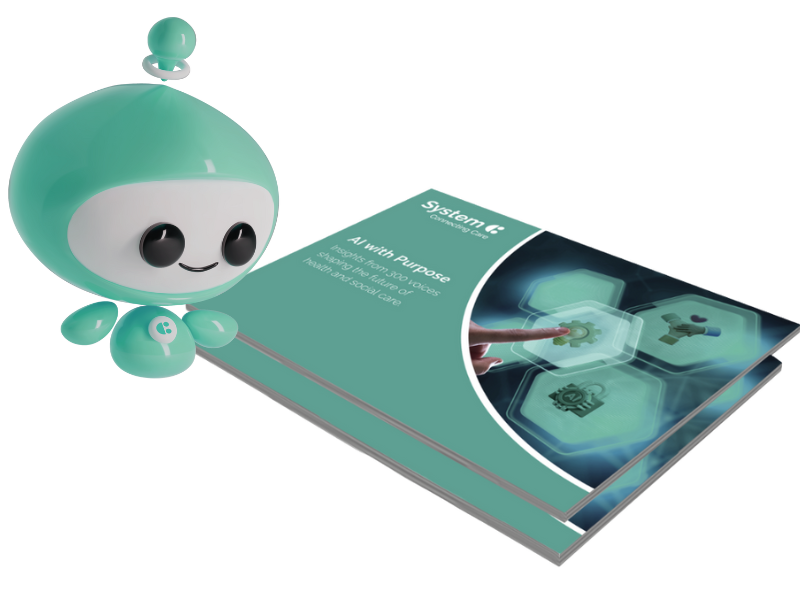
AI with Purpose: Insights from 300 Voices
Our AI report provides insight into the priorities and challenges facing the healthcare, social care, and education sectors as they adopt and integrate artificial intelligence.